
Many ACCA students search for the best way to prepare for ACCA exams. Some don’t have the budget for costly courses. Others just want a last-minute crash course. In this rush, they forget one underrated resource official, and incredibly powerful: the ACCA Practice Platform.
It is one of the most reliable places to start. The platform gives a clear and simple way to study for CBE papers. From mock tests, previous year papers, video lessons, to a lot of resources. Students can (and must) use this to understand the real exam layout before they sit for the test.
This guide has all the insights on the practice platform, its features, how to access it, and more. Read on to get all the details!
Table of Contents
ToggleACCA Practice Platform
The ACCA Practice Platform is an online workspace. Students use it to access sample questions, specimen exams, practice tests, past papers, and mock exams. All content matches the real ACCA CBE format. This means students can practice in the same screen layout, use the same tools, and move between questions the same way they would in the live exam.
The platform has a clear purpose. ACCA wants students to become comfortable with computer based exams long before exam day. This acca cbe practice platform removes guesswork.
Not only students, the platform is useful for students, tutors, and training providers. Students use it for exam practice. Tutors use it in classes to show how ACCA questions work. Training providers use it to teach technique and help students prepare for time pressure.
Overall, the platform helps with four main areas. It improves exam familiarity. It builds technical confidence. It trains students to read and plan answers. And it reduces stress because the exam interface no longer feels new.
How Do You Access The Student Login For The Preparation Interface?
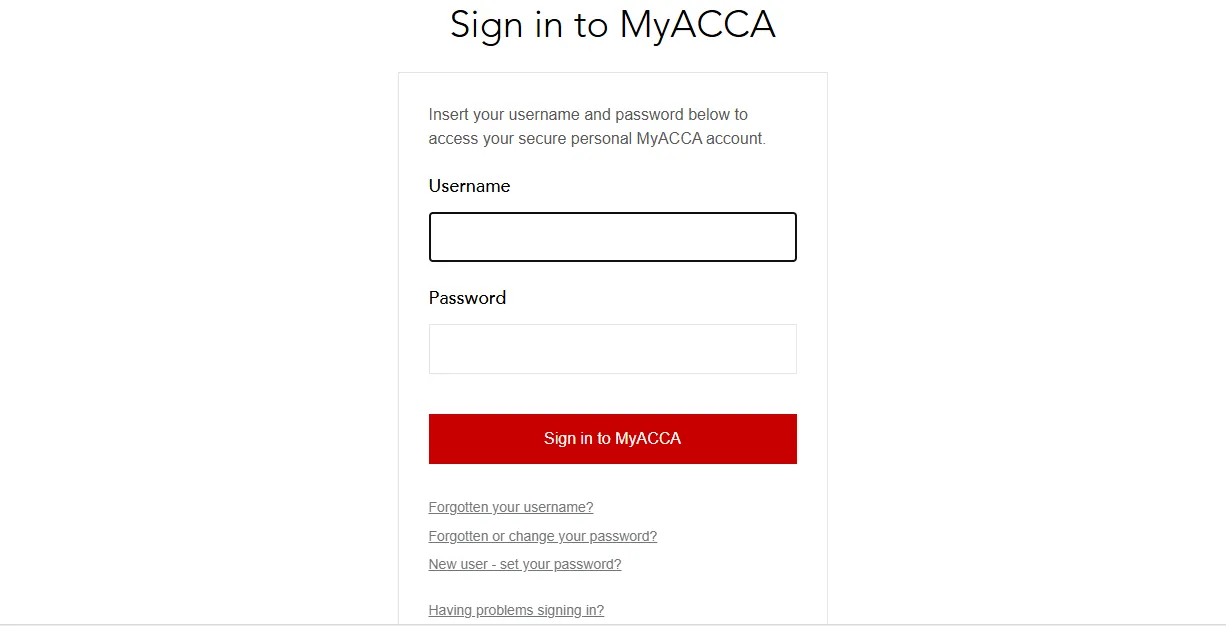
Students can reach the acca practice platform login page through their MyACCA account. You need to enter username and password to login. After login, you will see your student dashboard. There, you can select the Practice Platform link from the student dashboard.
Sometimes login issues can happen. These can include soft logouts, expired passwords, or browser conflicts. For that, you can do these troubleshooting exercises like clearing browser cache and switching to another browser.
If a student forgets their password, they can use the reset option on the MyACCA page. This sends a recovery link to the registered email.
If page says not authorised, then make sure you are fully registered and your fees are up to date.
Even after trying all these steps, if you still feel stuck, then use the “Help” chat on MyACCA or email students@accaglobal.com
How To Access Practice Platform ACCA?
Here is the step by step path:
- Open the ACCA Global website.
- Click on the MyACCA login button.
- Enter your email and password.
- Once inside your dashboard, select the acca practice platform login option.
- The page will open the acca cbe practice platform where you can choose your paper and start practicing.
After login, students see a clean dashboard. The screen shows the list of available subjects. Under each subject, students can pick sample questions, past papers, or mock exams. The interface also shows time limits, instructions, and notes about the exam format.
Now, there can be slight region-based access variations. Rest everything is same.
What Tools, Features, And Workspace Options Does The System Provide?
The acca cbe practice platform offers many digital tools that help students understand how the real exam will look like. The main ones are word processing area for long answers, a spreadsheet tool for calculations, and an exhibit panel for reading case information.
Now, lets see the usability and features in some more detail:
- Word processing tool – This is the primary space in which the examinee can type responses to extended response questions. There is a formatting bar to allow for headings and numbered points, bullets, fonts and other options similar to a doc file.
- Spreadsheet Tool – Great for math and data work. It’s like Excel with cells for formulas, sums, and charts. You can drag data or use functions to check calculations fast. This tool is important for papers that require analysis or financial working.
- Exhibits Panel – holds all the reading material, such as case notes, emails, or supporting documents. You can scroll, zoom, and keep it open while you write your answer.
- Marking panel – Shows which questions are done, which ones you started, and which ones you still need to attempt. It helps students keep track of time and stay organised during practice.
The system also stores each practice attempt. Students can return to past answers, review them, and see where they can improve. This helps students, tutors, and training providers track progress over time.
All in all, the platform focuses on realism. Every part of the workspace has been designed to match the actual exam screen.
What Learning Content, Past Exams And Mock Papers Are Available?
The ACCA Practice Platform gives you full Computer-Based Exam (CBE) content that looks and feels exactly like the real exam. All material is available in the same format as the live exam. This helps students feel comfortable with the layout, tools, and timing before the real test.
Here is a full overview of the material you can find:
Specimen papers – These act as model papers for new exam structures. They show ACCA exam pattern – how questions are built and how marks are split.
Mock test exams – these are made to feel exactly like the real exam. Students sit the mock in timed conditions. This helps them test their readiness. For AAA, where judgment and structured thinking matter, mock exams give students the closest experience to the live paper.
Past exam question papers – These are real questions from previous exam sessions for ACCA AFM, SBR, and other subjects.
Study resources for technical subjects – These include guidance material, examiner insights, and tips that explain how to handle complex cases. They help students with papers like AAA, AFM, and SBR because these exams require deeper analysis.
This content covers all levels. All of this replicates the live exam style 100 %, so there are no surprises on exam day.
How Do Platform Updates, Guidance Documents, And Videos Support Exam Success?
Practice platform updates play a big role in helping students get exam-ready. With a friendly and easy-to-use interface, students can focus on learning instead of dealing with technical issues.
This is exactly why, in a recent move, on 18 June 2025 ACCA Practice Platform has been shifted to a new hosting setup. The new setup gives a cleaner layout, is faster loading, and has limited slowdowns.
The platform also benefits from the partnership between ACCA and TestReach. This partnership has improved performance in areas like screen responsiveness, question loading, and overall exam flow.
In addition to the updates, ACCA provides useful support documents as well as video tutorials. These explain how to use the platform, how to answer questions, and how to manage time in the exam.
Together, these tools turn the platform into a full prep guide.
Frequently Asked Questions About ACCA Practice Platform
Yes, ACCA practice platform is a free resource for all ACCA students. Here, you can find all exam support resources like past year papers, technical articles, practice questions, and more.
Visit the official ACCA global website and log in to your MyACCA account. Then, you can jump into sessions right away.